Residents
Build a Clearer Resident Record
Manage resident profiles, contact information, addresses, communication history, service requests, documents, feedback, notes, and interaction history from one organized workspace.

Municipal & Local Government Solution
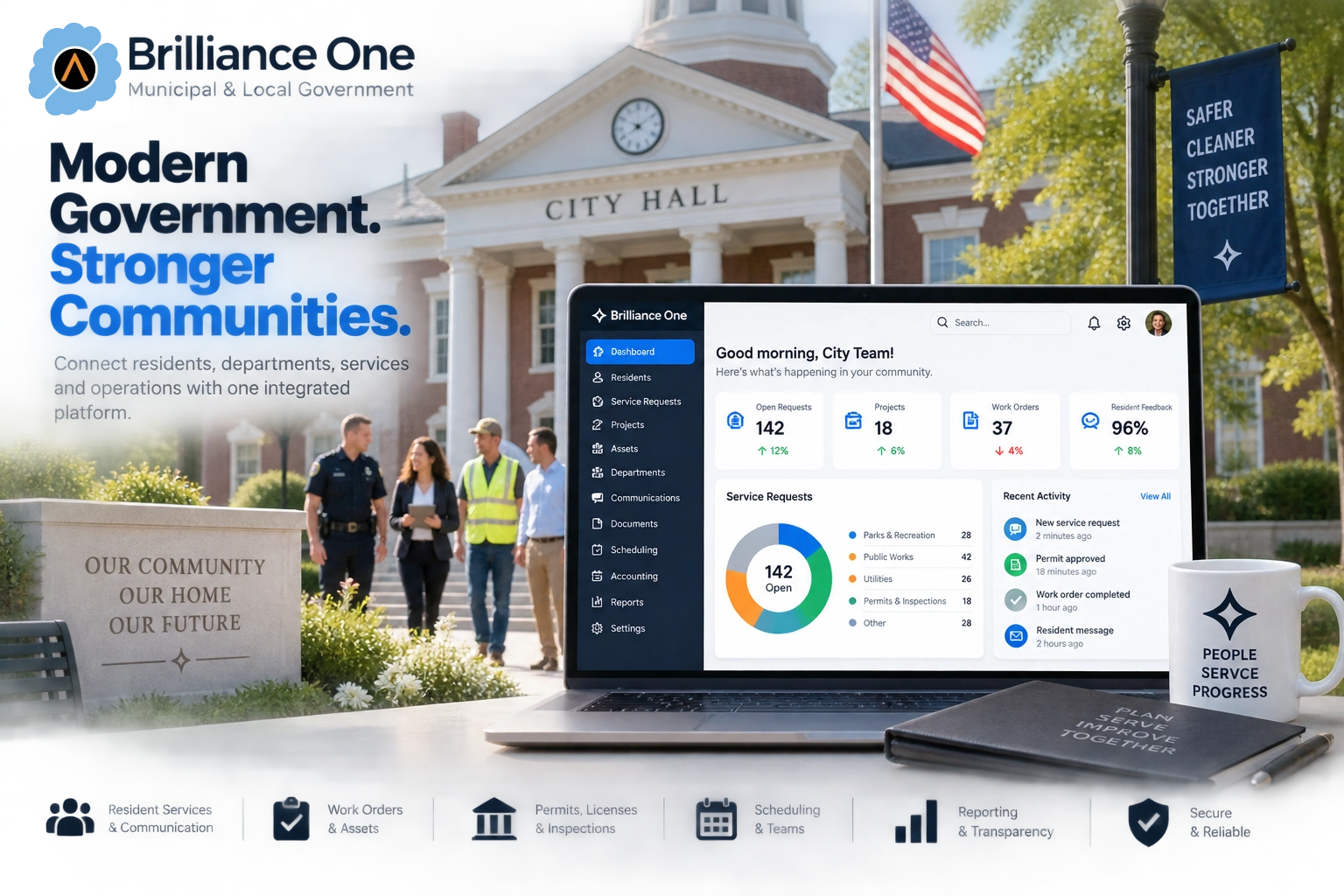
Brilliance One helps towns, cities, municipalities, utilities, public works teams, recreation departments, and local government offices connect resident services, requests, communication, projects, facilities, assets, documents, scheduling, payments, and internal workflows through one platform.
Bring the public-facing experience and the operational work behind it together in one modular CRM + ERP + CMS Business Operating System—with shared records, configurable workflows, role-based access, and no per-user platform pricing.
Why Municipalities Use Brilliance One
Brilliance One can connect resident records, service requests, departments, projects, assets, documents, communication, payments, and operational reporting so local government teams have better visibility into the work being performed.
Residents
Manage resident profiles, contact information, addresses, communication history, service requests, documents, feedback, notes, and interaction history from one organized workspace.
Requests
Manage maintenance, utilities, permits, inspections, complaints, public works requests, facility needs, and internal assignments through configurable workflows.
Communication
Send alerts, announcements, reminders, newsletters, emergency updates, meeting notices, event information, and service-status communication through connected channels.
Modern Local Government
Residents increasingly expect online access, status visibility, digital forms, timely communication, and simpler interactions. Staff need the request to move into the correct department, schedule, project, document, asset, financial, or operational workflow without recreating the same information in another system.
Resident Experience
Give residents supported online entry points for requests, forms, information, appointments, communication, payments, and other configured municipal services.
Department Operations
Connect intake with the departments, users, projects, schedules, facilities, documents, assets, and workflows responsible for completing the work.
Public Accountability
Maintain appropriate request, communication, assignment, document, project, payment, and activity history so authorized staff can understand what happened and what remains open.
Resident Services
Residents should not need to understand your organizational chart before they can ask for help. Brilliance One can help capture the request first and route it to the appropriate department, person, workflow, or service.
Resident Experience
A connected record can help authorized staff understand who contacted the municipality, what was requested, which address or facility is involved, what communication has occurred, and whether work is still outstanding.
Requests & Work Orders
Service requests become easier to manage when ownership, priority, status, communication, and completion are visible from the same workflow.
Capture requests from residents, staff, forms, portals, phone interactions, or other configured entry points.
Assign requests to departments, teams, users, projects, locations, or other responsible groups.
Organize work by urgency, service type, department, location, due date, or other configured criteria.
Track work as new, assigned, scheduled, in progress, waiting, completed, or through other municipality-defined stages.
Send appropriate acknowledgements, updates, scheduling information, completion notices, and follow-up communication.
Preserve request history, internal notes, assignments, activity, documents, communication, and outcomes for future reference.
Resident Request Workflow
Capture the request, resident, address, department, category, priority, supporting information, and required follow-up.
Assign responsibility, coordinate schedules, track tasks, update status, manage documents, and record department activity.
Notify the resident, close the request, preserve the history, and use the resulting data to understand workload and recurring issues.
Department Coordination
Local government teams may have different responsibilities, but many still depend on the same resident, address, communication, document, project, scheduling, and reporting information.
Citizen Portal
Where portal capabilities are configured, residents can interact with municipal services online instead of depending entirely on phone calls, office visits, email chains, and paper forms.
Digital Services
The strongest portal experiences connect directly to the underlying workflow so information submitted online can move into the appropriate municipal process without unnecessary duplicate entry.
Public Communication
Brilliance One can support targeted and broad communication workflows across municipal departments and public services.
Share city updates, program information, service changes, public notices, and general announcements.
Notify affected residents about request status, maintenance, interruptions, closures, or planned service activity.
Support urgent communication workflows where configured and used in accordance with the municipality’s procedures.
Publish and promote appropriate meeting notices, updates, schedules, and related public information.
Promote recreation programs, community events, public meetings, activities, and municipal initiatives.
Maintain ongoing communication with residents through scheduled email and other approved outreach campaigns.
Assets & Facilities
Where asset and technology capabilities are configured, Brilliance One can help connect equipment, facilities, vehicles, locations, maintenance, documentation, projects, and responsible departments.
Asset Context
Connecting assets with maintenance, projects, departments, documents, vendors, and service activity gives local governments better operational context over time.
Projects & Capital Improvements
Infrastructure repairs, public improvements, seasonal initiatives, facility work, and cross-department projects often involve multiple teams, documents, deadlines, vendors, and approvals.
Keep project details, responsible departments, stakeholders, locations, notes, documents, and related activity connected.
Assign work, track deadlines, maintain ownership, and monitor progress across participating teams.
Track major project stages, dates, approvals, reviews, and completion points.
Keep project files, approvals, correspondence, reports, images, and related records with the project.
Coordinate internal work without forcing each department to maintain a completely separate project record.
Provide authorized users with clearer visibility into project progress, open work, timelines, and activity.
Payments & Financial Workflows
Where Brilliance One Accounting, POS, or connected payment capabilities are enabled, municipal financial workflows can be tied more closely to resident accounts, services, programs, permits, facilities, and operational records.
CMS & Digital Government
Brilliance One CMS can help connect municipal content, forms, resources, service pages, announcements, directories, and public digital experiences with the operational workflows behind them.
Connected Digital Experience
When online forms and public pages connect directly with the municipal workflow, residents can submit information digitally while staff receive structured data instead of another email that needs to be re-entered.
Documents & Public Records Workflows
Municipal operations generate forms, correspondence, project files, inspection records, photos, approvals, invoices, reports, resident submissions, and other documents. Brilliance One can keep supported files connected to the appropriate account, request, project, department, location, asset, or workflow.
Records Context
Connecting documents with the underlying municipal record can make it easier for authorized users to understand who submitted the information, what process it belongs to, which department is responsible, and what action occurred around it.
Brilliance One provides workflow and document capabilities; each municipality remains responsible for its own records-retention, disclosure, legal-review, and public-records obligations.
Reporting & Accountability
Connected data can help municipal leaders understand demand, workload, response times, projects, recurring issues, service activity, and departmental performance.
Understand the number and type of requests being received across departments and service areas.
Identify where requests are moving efficiently and where workflows may need attention.
Review open assignments, tasks, projects, requests, and operational demand.
Identify repeated requests, problem locations, asset concerns, or service patterns.
Monitor active municipal initiatives, milestones, responsible teams, and progress.
Maintain better visibility into outreach, notices, service updates, and communication activity.
Accessible Digital Government
Brilliance One can support municipalities building accessible public websites, forms, portals, and digital workflows. Accessibility depends on implementation, content, configuration, testing, and ongoing governance—not software alone.
Public Website
Use semantic content, readable contrast, keyboard-friendly interaction, descriptive labels, responsive layouts, and other accessibility-conscious design practices.
Forms & Portals
Build public-facing forms and portal experiences with accessibility, clear instructions, validation, focus behavior, and understandable workflows in mind.
Governance
Municipalities remain responsible for evaluating their public content and services against applicable ADA, Section 508, state, local, and organizational accessibility requirements.
Security & Access
Municipal systems can include resident information, employee data, financial records, internal documents, infrastructure information, service history, and administrative activity. Access should match each user’s role and responsibility.
Security by Responsibility
Brilliance One can help separate permissions by user, role, department, and module while keeping authorized operational data connected across the organization.
Brilliance One Core
Core provides the relationship, communication, automation, identity, security, configuration, and administrative capabilities that support the broader Brilliance One Business Operating System.
CRM & Relationships
Manage customers, prospects, leads, organizations, contacts, vendors, suppliers, partners, and relationship history through one connected business record.
Explore AccountsLocations
Maintain billing, shipping, service, customer, employee, vendor, job-site, and operational locations as reusable records connected to the business activity that depends on them.
Explore AddressesEmail, SMS & Messaging
Connect email, SMS, MMS, campaigns, templates, lists, replies, delivery activity, and communication history with the customers and business records behind every conversation.
Explore CommunicationsWorkflow Automation
Automate supported email, SMS, tagging, notifications, delays, follow-up, and repeatable processes so people can focus on decisions while software handles routine work.
Explore AutomationsIdentity & Access
Manage identities, roles, permissions, security groups, profiles, account relationships, module access, authentication, and operational responsibilities across Brilliance One.
Explore UsersPlatform Protection
Protect business information with authentication, authorization, roles, permissions, security groups, encryption, session controls, logging, monitoring, and administrative safeguards.
Explore SecurityPlatform Configuration
Configure organization defaults, branding, permissions, communication providers, payment services, AI preferences, integrations, module behavior, and shared platform settings.
Explore SettingsData Operations
Import, export, map, validate, review, migrate, clean, and maintain supported business information with administrative workflows designed for controlled data operations.
Explore ToolsRecommended Municipal Extensions
These additional modules can extend the Brilliance One foundation for accounting, websites and digital services, workforce operations, reporting, public projects, scheduling, municipal assets, technology management, and broader department workflows.
Financial Operations
Manage quotes, invoices, payments, expenses, vendors, banking activity, journals, and financial reporting while keeping the numbers connected to the customers, projects, products, and business activity behind them.
Explore AccountingWork & Delivery
Manage projects, phases, milestones, tasks, employees, time, documents, costs, customer relationships, communication, and delivery history from one connected operational record.
Explore ProjectsAssets & Infrastructure
Manage technology assets, equipment, vehicles, software, subscriptions, assignments, maintenance, warranties, vendors, documents, lifecycle history, and supported monitoring.
Explore TechnologyBeyond a 311 Portal
Modern municipal platforms increasingly connect resident portals, request management, work orders, assets, websites, payments, and reporting. Brilliance One is designed around the same connected-government objective while extending the shared platform into CRM, CMS, projects, workforce operations, scheduling, technology assets, accounting workflows, documents, security, and other modular capabilities.
Resident Relationship
Connect requests, communication, addresses, forms, documents, payments, service history, and other supported interactions to the appropriate resident or organizational context.
Operational Platform
Extend the same platform into projects, employees, schedules, facilities, technology assets, financial workflows, documents, reporting, websites, and internal operations.
Pricing Model
Brilliance One standard platform pricing is based on Core and activated modules rather than charging another recurring platform subscription for every municipal employee who needs access.
Connected by Design
Capture requests, questions, concerns, forms, communication, and relevant service information.
Route work across departments, projects, staff, facilities, assets, documents, schedules, and operational workflows.
Close the loop with residents and use connected data to improve visibility, accountability, service delivery, and planning.
Brilliance One for Local Government
Bring resident services, requests, departments, communication, projects, facilities, assets, documents, payments, portals, reporting, and municipal workflows into one connected platform.
Brilliance One • CRM + ERP + CMS • Municipal Operations