Sell
Customer Transactions
Create supported retail or service transactions using products, quantities, pricing, discounts, taxes, customer information, and applicable payment details.

Brilliance One Point of Sale
Connect customer transactions, products, inventory, payments, receipts, discounts, taxes, accounting, and operational history inside the same platform that manages the customer relationship.
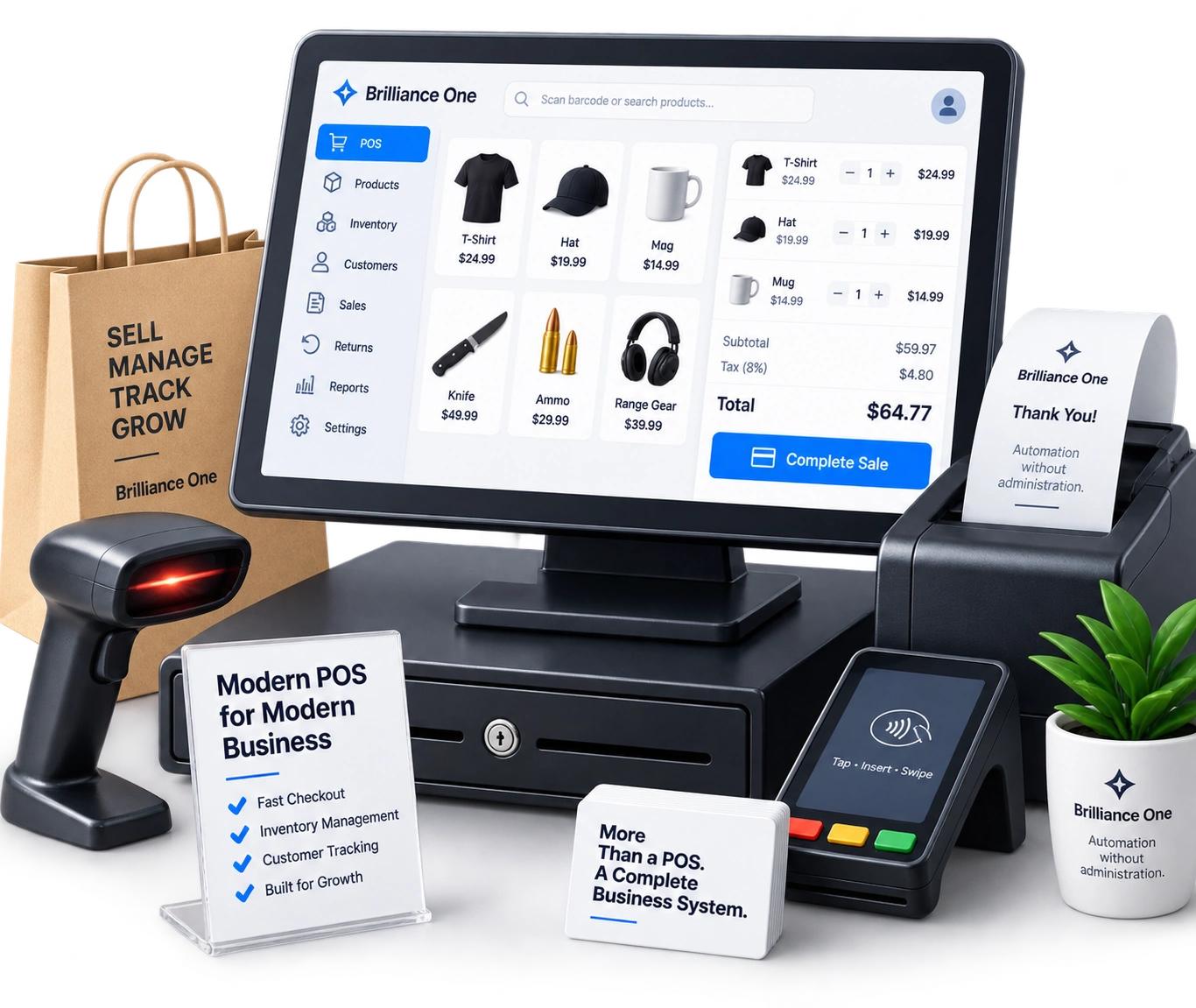
Brilliance One Point of Sale extends the Business Operating System to the moment revenue is collected, helping retail and service transactions remain connected to CRM, products, inventory, accounting, documents, communications, and specialized industry workflows.
Connected Commerce
A sale touches the customer, products, inventory, payments, taxes, receipts, financial records, and often the relationship that continues afterward. Brilliance One Point of Sale is designed to keep those pieces closer together.
Sell
Create supported retail or service transactions using products, quantities, pricing, discounts, taxes, customer information, and applicable payment details.
Fulfill
Connect sales with the products and inventory responsible for the transaction so commerce activity can remain part of the broader operational record.
Account
Keep supported payment and transaction information connected with customers, products, receipts, accounting workflows, and the financial activity created by the sale.
Beyond Checkout
Modern payment and POS platforms already make it easy to collect money. Brilliance One is designed around the broader workflow surrounding the transaction.
Customer + Commerce + Operations
The customer now has purchase history. Inventory has changed. Revenue has been created. Payment activity exists. Products have been associated with the relationship.
Brilliance One is designed so those events can remain part of the same broader operating environment instead of disappearing into a standalone checkout system.
Point of Sale Capabilities
Brilliance One Point of Sale combines transaction processing with the customer, product, inventory, financial, document, and operational information surrounding the purchase.
Transactions
Create supported transactions for products, services, fees, and other configured items sold through the business.
Customers
Associate transactions with an existing customer or appropriate relationship record instead of maintaining an entirely separate POS customer database.
Products
Use appropriate product and service records throughout sales, inventory, financial, customer, and operational workflows.
Inventory
Connect supported sales activity with inventory so the transaction reflects the items moving through the operation.
Pricing
Maintain applicable quantities, pricing, discounts, and transaction-level information as part of the supported checkout workflow.
Taxes
Apply configured tax information where supported and preserve the resulting tax context with the transaction.
Payments
Associate supported payment methods and transaction information with the sale and the broader customer and financial record.
Receipts
Provide appropriate transaction documentation and retain the supporting record with the underlying sale.
History
Keep supported transaction history associated with the customer, products, users, payments, and operational records responsible for the sale.
Transaction Workflow
Keep the checkout experience understandable while preserving the relationships required by downstream business workflows.
Identify the customer where applicable and add the products, services, quantities, prices, discounts, taxes, and other supported transaction details.
Record the supported payment activity required to complete the transaction and preserve the resulting financial information.
Keep the resulting customer, product, inventory, payment, receipt, accounting, and operational context available after checkout.
POS + CRM
Connecting checkout with CRM allows supported purchase activity to become another part of the relationship rather than a transaction known only to the register.
Customer History
CRM context can help an authorized employee understand the relationship before the transaction, while purchase history can provide useful context for future service, communication, support, sales, and customer-retention activity.
The transaction becomes part of the relationship rather than replacing it.
Products & Services
Products sold at the point of sale can remain connected to the wider product records used throughout supported inventory, purchasing, accounting, customer, and operational workflows.
Products
Sell supported physical products using the same product and inventory context available elsewhere in the platform.
Services
Add configured service items or other appropriate non-inventory charges to supported transactions.
Catalog
Maintain product naming, pricing, categorization, identifiers, descriptions, and other supported information through the broader product environment.
POS + Inventory
When products are inventory-managed, the point-of-sale transaction should remain connected to the inventory activity created by the sale.
Commerce + Inventory
Brilliance One is designed so supported POS activity can use the same product and inventory foundation that other operational workflows rely on.
That reduces unnecessary separation between what the business believes it has and what the business is selling.
Payments
Payment activity is most useful when the transaction, customer, products, totals, receipts, and downstream financial records remain connected.
Payment
Record appropriate payment activity using the payment methods and processing options configured for the organization.
Transaction
Keep payment information associated with the transaction responsible for creating it instead of maintaining an isolated payment record.
Customer
Associate appropriate payment and transaction history with the customer or account where the sale belongs to an identified relationship.
Receipts & Transaction Records
The completed sale can maintain the item, quantity, price, discount, tax, payment, customer, user, and other appropriate information required to understand the transaction later.
Transaction History
Preserving the transaction record gives authorized employees context when customers return with questions about what they purchased, when they purchased it, how the transaction was structured, or which supporting records belong to the sale.
POS + Accounting
A completed transaction may create customer, payment, revenue, tax, product, inventory, and other financial activity that belongs within the broader accounting context.
Commerce + Finance
With Accounting enabled, supported transaction activity can continue into the financial workflows responsible for reporting and managing the business.
Point of Sale records the transaction. Accounting provides the broader financial context.
Connected Revenue
Some transactions begin at a physical checkout. Others begin with a quote, invoice, customer conversation, scheduled service, or another business workflow. Brilliance One is designed to keep these revenue processes on a connected customer and financial foundation.
Retail
Complete an immediate sale using supported customer, product, inventory, pricing, tax, and payment workflows.
Sales
Use appropriate quote or estimate workflows when the customer needs pricing before committing to the transaction.
Billing
Use invoicing and accounting workflows when payment occurs later or the transaction requires a broader accounts-receivable process.
POS + Firearms
For FFL configurations using the Firearms module, POS can participate in a broader workflow that distinguishes general product information from the specific serialized firearm involved in the transaction.
Firearms Retail
A retail system may know that a firearm product was sold. The firearms workflow must also understand which serialized firearm was involved and how the applicable transfer and recordkeeping processes relate to it.
Brilliance One can connect those perspectives rather than forcing the retailer to reconcile two unrelated versions of the transaction.
After the Sale
Purchase activity can become useful context for customer communication, service, marketing, future sales, projects, documentation, scheduling, support, and other supported workflows.
Communications
Use supported email and SMS workflows for appropriate transaction communication and post-sale follow-up.
Marketing
Use appropriate customer and purchase information as context for future marketing audiences and customer-retention strategies.
Service
Preserve purchase history so authorized teams have additional context when the customer returns for support, service, another purchase, or another business interaction.
Users & Permissions
Point-of-sale activity can use the broader Brilliance One user, role, permission, security-group, and administrative foundation.
No Per-User Pricing
Brilliance One's standard platform pricing is based on Core and the capabilities your organization activates rather than charging another recurring platform subscription for every user.
Access remains permission-controlled even though the pricing model does not depend on seat count.
Transaction Documents
Transactions can generate receipts, invoices, supporting files, customer documentation, product records, or industry-specific documentation that belongs with the underlying sale.
Maintain appropriate customer transaction records associated with the completed sale.
Use connected financial workflows where the transaction requires invoicing rather than immediate payment.
Associate appropriate supporting customer records with the broader relationship and transaction.
Connect relevant product or item documentation with the records responsible for the transaction.
Associate specialized documentation with industry-specific transactions where additional modules require it.
Keep appropriate documentation available with the sale for authorized review later.
Sales Visibility
Available transaction data can help authorized teams review sales activity alongside products, customers, payments, inventory, employees, and the broader operational context.
Review supported transaction activity and the underlying records associated with completed sales.
Understand which products and services participate in supported sales activity.
Use purchase history as additional context around identified customer relationships.
Review available payment information associated with the transactions responsible for it.
Maintain appropriate user context around supported transaction activity.
Connect commerce information with inventory, accounting, customer, and other operational records where supported.
Connected Commerce
POS transactions can participate in the same customer, inventory, financial, document, communication, security, reporting, and industry workflows used throughout Brilliance One.
Accounts
Associate appropriate transactions and purchase history with customers, contacts, organizations, and broader relationship records.
Products
Use shared product and service information instead of maintaining another independent catalog solely for checkout.
Inventory
Connect supported sales activity with inventory records and the operational movement created by selling products.
Accounting
Continue applicable sales, payment, tax, revenue, customer, and product activity into the broader accounting environment.
Firearms
Connect appropriate firearms transactions with serialized inventory, bound-book activity, e4473 workflows, customers, documents, and financial context.
Communications
Use supported email and SMS for transaction-related communication and appropriate post-sale follow-up.
Marketing
Use appropriate customer and purchase information as context for future segmentation, campaigns, and retention strategies.
Documents
Keep appropriate receipts, invoices, supporting documents, and specialized records with the transaction or customer they support.
Insights
Use available customer, product, transaction, and operational information to better understand the business around the sale.
Commerce Platform Strategy
Modern customer platforms increasingly provide product catalogs, payments, invoices, estimates, checkout, subscriptions, mobile payment tools, and other commerce capabilities. Brilliance One extends commerce into a broader CRM + ERP + industry operating environment.
Sell
Complete supported retail and service transactions using connected product and customer information.
Record
Keep supported payments and inventory activity associated with the transaction responsible for creating them.
Operate
Continue the transaction into financial, document, customer, reporting, firearms, communication, and other operational processes.
Transaction Security
Point-of-sale workflows can include customer, payment, financial, product, employee, and industry-specific information that should be available only to appropriate authorized users.
Payment Responsibility
Brilliance One can integrate transaction and payment workflows with supported providers while organizations remain responsible for appropriate payment configuration, access controls, merchant requirements, and applicable PCI or other obligations.
Brilliance should be described as designed to support security-conscious commerce workflows rather than as automatically making an organization compliant.
Point of Sale Pricing
Point of Sale participates in Brilliance One's modular pricing model. Start with Core, add POS, and combine it with Accounting, Firearms, Scheduling, Marketing, or other modules according to the way your organization operates.
Standard Configuration
Under current standard pricing, Brilliance One Core starts at $147 per month and Point of Sale is $135 per month before applicable module-volume adjustments, payment-processing costs, and other usage-based services.
Use the pricing estimator to combine POS with Accounting, Firearms, Scheduling, Marketing, or the other capabilities your business needs.
Build the Commerce Stack
Different businesses need different combinations of customer, retail, inventory, financial, scheduling, and industry functionality.
Retail
Connect customers, communications, users, security, products, supported transactions, payments, and purchase history.
Retail + Finance
Extend sales into invoices, payments, expenses, vendors, banking, ledger activity, reporting, and broader financial workflows.
Firearms Retail
Connect POS with serialized firearms, bound-book records, e4473 workflows, customers, inventory, payments, and specialized FFL operations.
Business Modules
Expand Brilliance One with connected modules for financial operations, content, compliance, training, industry workflows, workforce management, reporting, marketing, commerce, projects, scheduling, and technology operations.
Financial Operations
Manage quotes, invoices, payments, expenses, vendors, banking activity, journals, and financial reporting while keeping the numbers connected to the customers, projects, products, and business activity behind them.
Explore AccountingWebsites & Content
Build and manage websites, pages, forms, landing pages, blogs, digital assets, public experiences, and lead capture while connecting the digital experience directly to business operations.
Explore CMSGovernance & Controls
Support compliance-conscious operations with identity controls, permissions, logging, security protections, data governance, administrative oversight, and specialized operational workflows.
Explore Compliance & SecurityTraining & Learning
Manage courses, curriculum, lessons, assessments, instructors, participants, completion, certifications, renewal requirements, and training history in one connected system.
Explore CoursesTesting Program Operations
Manage testing pools, random selections, collections, specimens, chain of custody, laboratory workflows, results, documents, and testing-program history.
Explore Drug TestingFFL Operations
Manage serialized firearms, acquisitions, dispositions, bound book records, e4473 workflows, inventory, customers, documents, point of sale, and connected firearms operations.
Explore FirearmsWorkforce Operations
Manage employees, onboarding, documents, attendance, leave, training, certifications, reviews, workforce history, responsibilities, and the operational context surrounding your people.
Explore Human ResourcesReporting & Visibility
Turn customer, marketing, financial, workforce, scheduling, project, and operational information into connected reporting and clearer business visibility.
Explore InsightsGrowth & Engagement
Manage campaigns, audiences, lead sources, referrals, reputation, local visibility, communications, attribution, and customer acquisition while keeping marketing connected to CRM and operations.
Explore MarketingConnected Commerce
Connect customers, products, inventory, transactions, payments, receipts, accounting, purchase history, and specialized retail workflows through the same business platform.
Explore Point of SaleWork & Delivery
Manage projects, phases, milestones, tasks, employees, time, documents, costs, customer relationships, communication, and delivery history from one connected operational record.
Explore ProjectsAppointments & Resources
Manage appointments, services, attendees, employees, availability, locations, resources, capacity, customers, and the operational workflows surrounding scheduled work.
Explore SchedulingAssets & Infrastructure
Manage technology assets, equipment, vehicles, software, subscriptions, assignments, maintenance, warranties, vendors, documents, lifecycle history, and supported monitoring.
Explore TechnologyBrilliance One Point of Sale
Connect customers, products, inventory, transactions, payments, receipts, accounting, communications, documents, reporting, firearms workflows, and ongoing customer history inside the broader Brilliance One Business Operating System.
Brilliance One • Point of Sale • Products + Inventory + CRM + Accounting